Home Contact Us Tip Us: [email protected]







A product demo can show the correct item and still make it look less valuable. Busy backgrounds, flat light, awkward framing and distracting objects compete with the feature customers are meant to notice. Refilming every listing video is expensive, but careless AI editing can also distort packaging, colour or scale. This guide gives e-commerce sellers seven focused fixes for improving presentation while keeping the product itself accurate and easy to inspect.
Product demos look cheap when the setting, light and visual hierarchy make the item harder to understand or when generated changes make the product appear inaccurate. Professional polish begins with clarity, not dramatic effects.
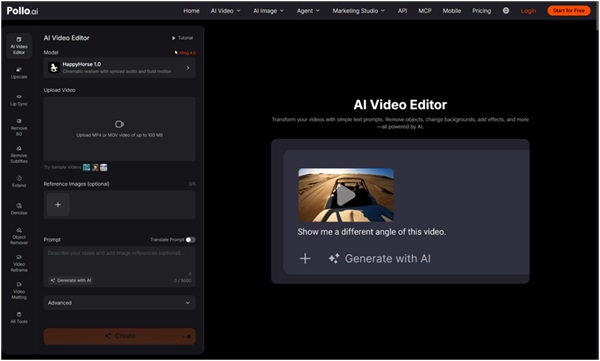
Sellers can polish product demos with AI video editing when the original product, action and claim are correct but the surrounding presentation needs work. Pollo AI describes prompt-based controls for removing objects, replacing backgrounds, changing atmosphere, adjusting appearance and adding visual effects. Those features can extend the life of usable footage, but the product's shape, material, label, colour and included parts must remain the review standard after every edit.
Improve the source and visual hierarchy first, then use effects only when they help explain a real product benefit. Apply the fixes in this order.
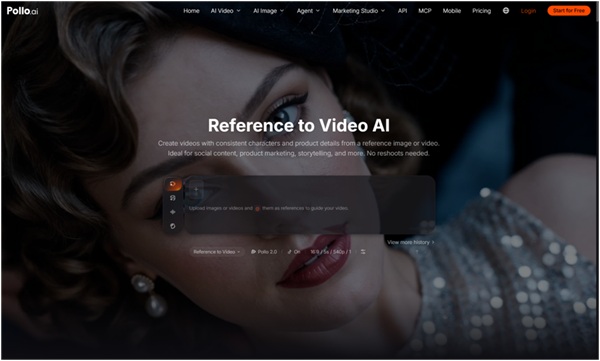
Start with accurate product references. The current editor accepts up to five optional reference images. When the campaign needs a new source clip, use reference to video AI to anchor the approved product shape, materials, colours and logo before adding campaign styling. The base video should still show the correct model, use and scale.
A credible product video makes the item easy to examine and keeps every visual choice consistent with what buyers will receive. The difference is practical, not simply cinematic.
| Area | Cheap-looking signal | Credible treatment |
| Background | Clutter or unrelated props | Simple, relevant setting |
| Lighting | Harsh shifts or muddy colour | Stable light with accurate product colour |
| Framing | Product too small or cut off | Feature remains readable on mobile |
| Effects | Cover the product | Support one benefit or mood |
| Accuracy | Shape or label changes | Matches approved product references |
Reshoot when the source shows the wrong product, misses a required angle or fails to demonstrate the action customers need to understand. AI editing should improve presentation, not invent commercial evidence.
A new shoot is also safer when glare hides the label, motion blur covers a key feature, the product is partly blocked or the model interacts with it incorrectly. Regulated, technical or safety-related products require especially careful review. Keep generated captions, prices and claims out of the scene itself; add them later in an editable layer so spelling, availability and legal wording can be verified.
Compare the edited video with current product references before judging engagement or style. Review the factual product first and the campaign presentation second.
Check the logo, packaging, colour, dimensions, moving parts, accessories and every point where a hand touches the item. Watch for edge flicker or shape changes as the product moves. Then review the background, atmosphere and framing on a phone screen. Ask someone unfamiliar with the edit to describe what the product does; if the answer changes because of the visual treatment, the edit has gone too far.
Keep a short approval record for the master clip: source filename, prompt, product reference and reviewer. This becomes especially useful when a marketplace, client or supplier questions a visual detail. It also prevents the team from treating an attractive but unapproved variation as the new product standard in later campaigns.
Begin with one accurate product clip and one presentation problem that clearly affects the buyer's view. Upload the video to Pollo AI Video Editor, make a focused background, object or atmosphere correction and compare the result with approved product images. Build additional campaign versions only after the edited master remains truthful, clear and easy to inspect.